Using Python in R with the Reticulate Package and Integration with Shiny
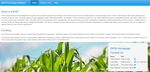
The Data Intensive Farm Management (DIFM) project is funded through a grant by the USDA-NRCS. In order to enable farmers to design their own experiments, to optimize management decisions for local conditions, I created a Shiny App, where the background code for creating the Wheat trials was written in Python. The farmers will enter in site-specific inputs, and in return receive files they can put in their tractor in order to perform the experimental design. In this presentation I discussed how I incorporated the Python code in Shiny using the Reticulate package in R. During this presentation I discussed what Recticulate is, how to set up a Python environment, and the complications I ran into while doing so. The main one being, that R was trying to connect to a Python version that no longer existed on my computer. To fix this, I had to install an older version of Reticulate. Next, I had to then had to run the Python code, given the Shiny Inputs. I first sourced the necessary file to have access to all the Python functions in the Shiny session. Then, I created a dictionary of the Shiny inputs, and put these into the Python class Field. Then I ran the main function of the Field python class with the dictionary of inputs in order to develop the experimental design. User’s are then able to view the design, and then download it if they are satisfied with it. The slides give some pictures of an older version of this app, the current app (still being tested) can be found at: http://trialdesign.difm-cig.org/
Alison Kleffner
Assistant Professor
My research interests include environmental applications of statistics and spatial data visualization. Currently, I am working on a project which involves the development of a spatial clustering and interpolation method to estimate where ice cracks may form and to infer missing data. These methods were developed with motion data of Arctic sea ice from the RADARSTAT Geophysical Processing System, where chunks of data are missing due to the data collection method. This is important as when cracks form in the sea ice, the heat from the ocean is released into the atmosphere, thus playing an important role in the global climate. Additionally, I have been working on a project focusing on visualization variables that occupy the same spatial domain with the goal to derive relationships between the variables.